
Firefox oldschool toolbar
Posted: 2014-03-25 Filed under: desktop | Tags: buttons, firefox, old style Leave a commentI do not like the default Firefox toolbar (since whatever version), which looks like this:

I prefer to have the old look-an-feel of Firefox, with the back, forward, stop, reload, home and new tab buttons at the traditional places. The solution is easy, but it was not intuitive, at least not to me:
Right click somewhere at the toolbar, select customize. The toolbar will change, so drag and drop the icons as follows:
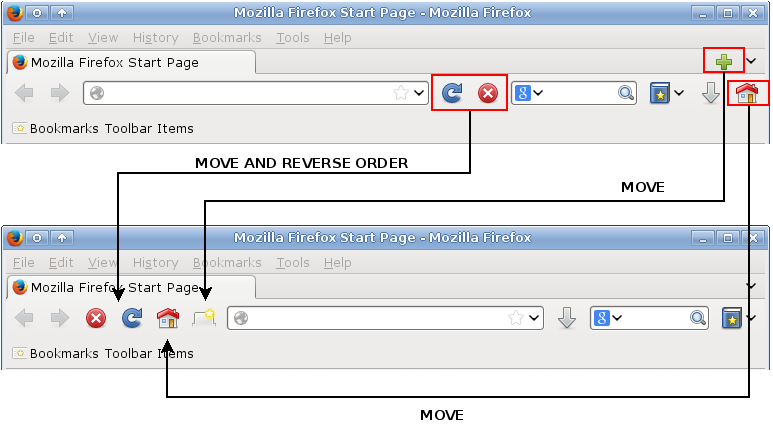
This is it. I also like to have the download button between the address and search bars.

 Slackalaxy