
Rotate text in Inkscape
Posted: 2021-11-27 Filed under: drawing | Tags: inkscape, rotate, text Leave a commentI am preparing a figure where I need to label several violin plots. I do not have enough space under the figure to fit everything without looking cluttered. So, I want to make the labels slanted at 45 degrees. How to do it in Inkscape?
I searched a bit and found this excellent tutorial. So, what I need to do is:
- I have several words that I will rotate altogether, so select them first

- Go to Object -> Transform (or press Shift + Ctrl + M)
- Click the Rotate tab and specify angle degrees and direction
- Check Apply to each object separately

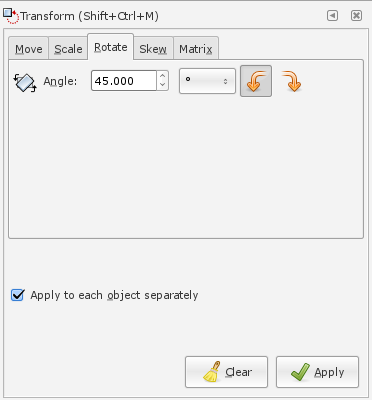
That’s it!

 Slackalaxy